Know your height before you find out the hard way.
Keep everything you need to know about your rig at a quick glance.
Free during the beta, with no account or app to install.
- Free to build and print
- No account needed
- Saves right in your browser
- Prints on one Letter sheet
- No subscription, no upsell
How it works
Tape measure to sun visor in three steps
It works in your browser, so there is nothing to install and no account to create.
Measure your rig
Measure the tallest point of your rig (usually the A/C shroud), the vehicle, the towable, and the connected rig from end to end. The free measuring cheat sheet (PDF) walks you through it.
Type your numbers
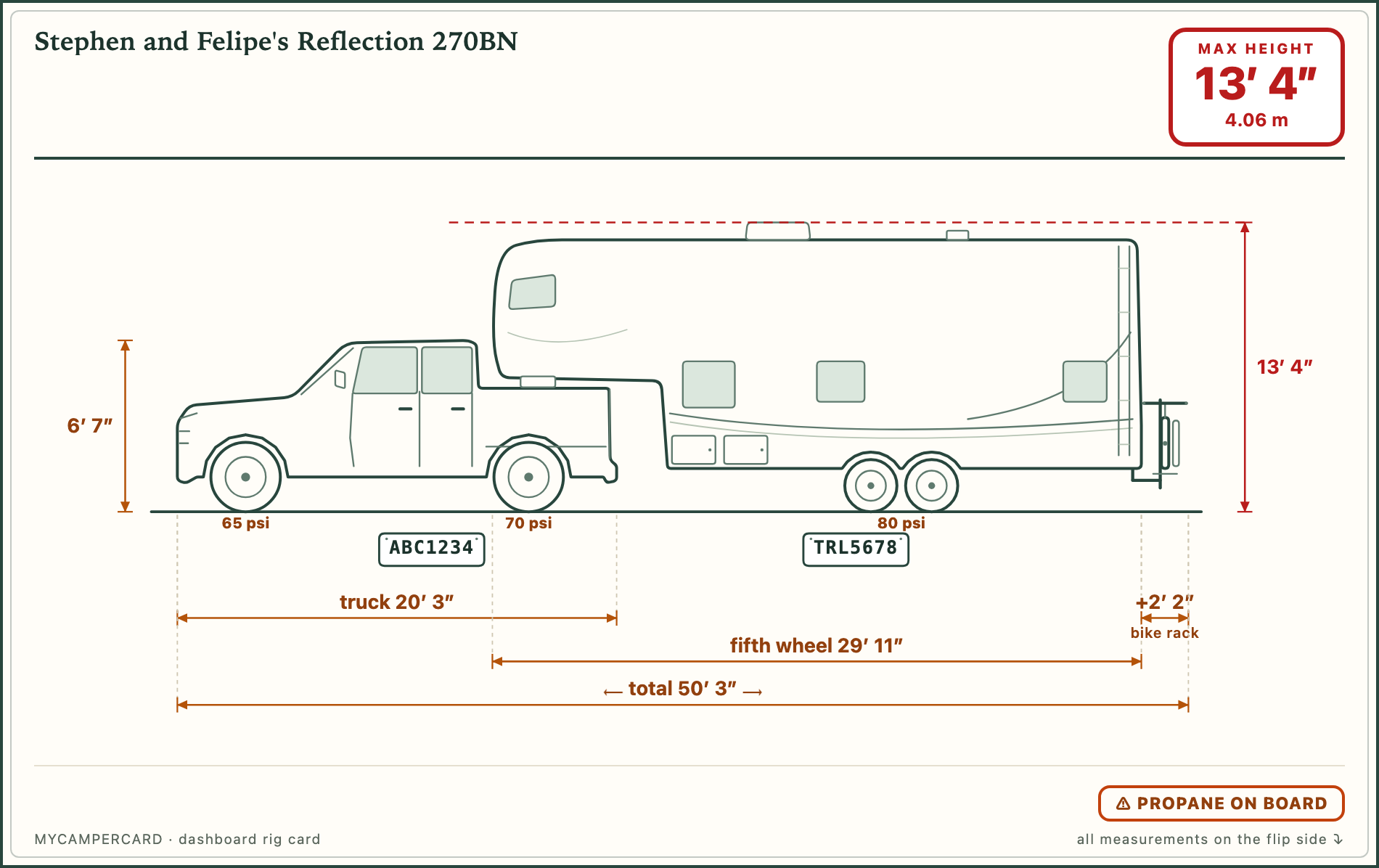
Choose your vehicle and towable style, then enter your measurements. The diagram updates as you type and shows the maximum height in red.
Print, fold, clip
Print both sides at actual size on one Letter sheet, fold on the marked line, and clip the card to your sun visor. If your setup changes, edit the card and print it again.
The card
Your whole rig on one card
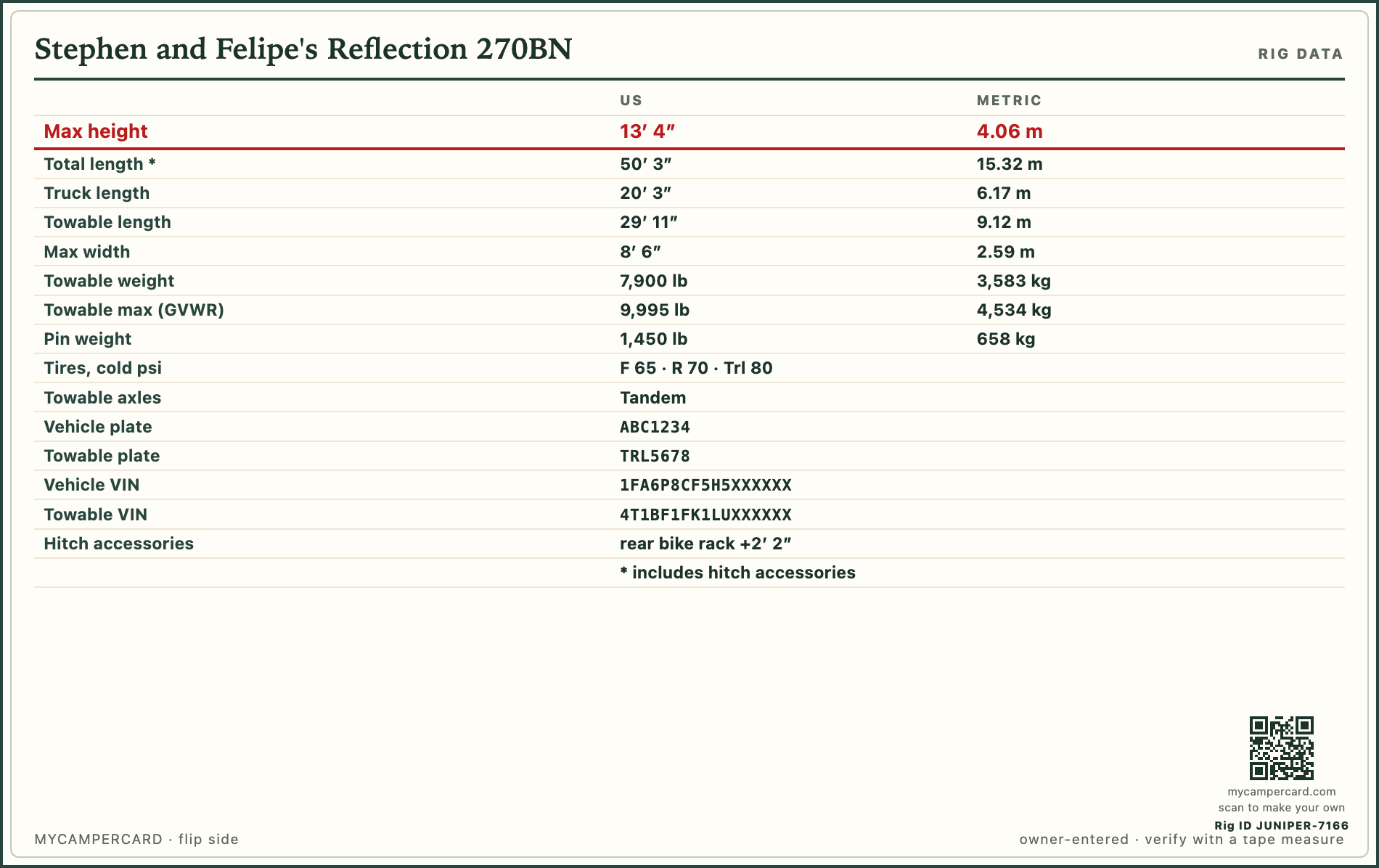
The front shows a diagram of your rig with its maximum height in red. The back lists your measurements, plus any optional details you add. Print it at actual size, fold it once, and keep it on your visor.
What’s included
Everything is free while we’re in beta.
Build, edit, and print your card without paying anything. No subscription, no unlock, no credit card.
MyCamperCard
A free account is only needed to fill your card from photos or keep a copy online — printing never requires one.
- Your rig, drawn to your measurementsChoose your vehicle and towable style; the diagram updates as you type, with your maximum height in red.
- Slide-out detailsRecord the number on each side and the deepest extension, so you can leave enough room when you park.
- Tire PSI printed on the tiresSee the cold pressures for your vehicle and towable directly on the diagram.
- Weights on the data cardKeep your combined, towable, and tongue or pin weights together.
- License plates & VINsKeep the details campgrounds may ask for at check-in close at hand.
- Hitch accessoriesAdd a bike rack, cargo tray, or box to the diagram and your total length.
- Notes on the card frontKeep campsite preferences and short reminders where you can see them.
- Print-ready PDF exportThe card as a two-page PDF at actual size, ready for a print shop.
- Prints on one Letter sheetPrint at actual size, fold once, and clip it to your visor. Edit and reprint anytime.
If MyCamperCard helped you out, you can buy me a coffee. ☕
Questions
Common questions
Is it really free?
Yes. While MyCamperCard is in beta, everything is free: the diagram, weights, tire pressures, slide-outs, plates and VINs, notes, and PDF export. There is no subscription and no credit card.
Do I need an account?
Not to build or print. A free account is only needed to fill your card from photos or to keep a copy of your cards online so you can edit them from any device. Simple sign-up, just your email required.
Why can’t you get the measurements from my make and model?
Tires, suspension, hitch setup, and roof accessories can all change your rig’s height. Measure the actual rig while it is connected, on level ground, and ready for travel.
Can I use my phone’s measuring app?
Phone measuring apps are useful for estimates, but towing clearances call for a proper measurement. For the best result, use a tape measure with the rig connected, on level ground, and ready for travel.
Why do I need to measure the total length?
Vehicle and towable lengths do not add up cleanly once connected. Hitch spacing and overlap—especially with a fifth wheel—change the total. Measure the connected rig from end to end; MyCamperCard adds any hitch accessories separately from the amount they stick out.